Skip to content
Pactveris
From first inquiry to ongoing support

Client relationships,connected to the work.

A clearer way to manage client relationships
and the work behind them.

Explore the platform
01 / 05
For client-service teams, the value is in what stays connected. Carry the first conversation into the account, the account into delivery, and each decision into the next responsible step. The team has a place to organize the work. The client has a place to participate.

Different responsibilities. Shared context.

Team
Manage the relationship
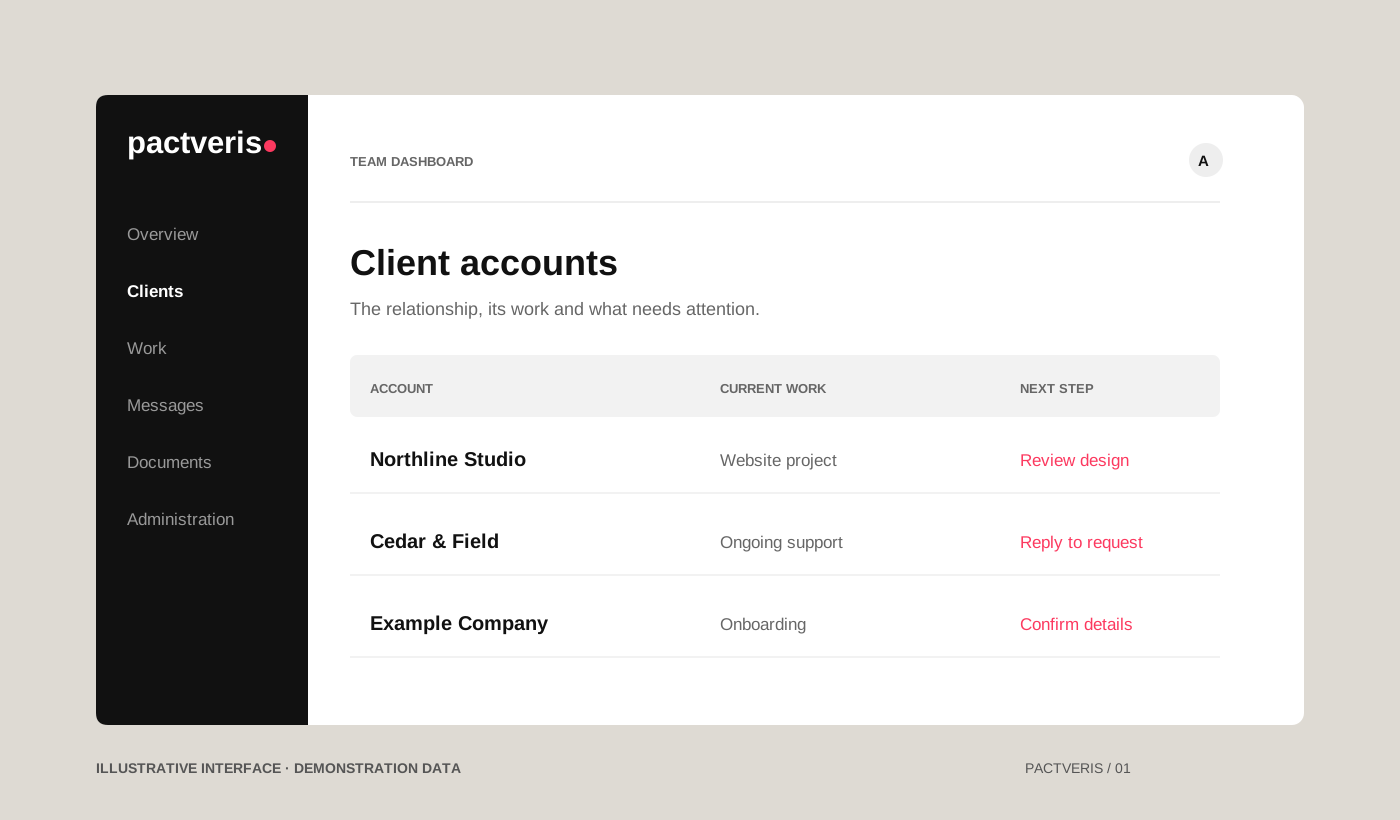
Client accounts, delivery work, communications and the next action.
Client
Stay informed and involved
A dedicated place to review, respond and access shared records.
Executive
Keep the wider view
Activity, decisions and oversight across the work.

One relationship. Connected work.

Consultation
Application when requested
Onboarding

From first conversation to active client.

Keep consultation preparation, notes and follow-up together. The team decides whether to send a Client Partnership Application; sending it makes completion required for that lead. New clients confirm business, address, billing-contact and signer details before full dashboard access, with the option to save a draft and return.

Responsibilities
Scope
Approvals

A next step everyone can understand.

Give work a clear owner and each next step a clear reason. Four service workflows connect tasks, milestones, evidence and the decisions needed to move forward. Completing a task is distinct from client acceptance, spending authority or permission to launch.

Client Dashboard
Progress
Responses

A shared place to move things forward.

Clients have a place to review progress, provide information, exchange messages and record decisions on applicable work. Agreements, shared documents, invoices and change-request status stay with their account. Internal notes and partner associations remain in the team workspace.

Billing
Documents
Communications

Less context to piece back together.

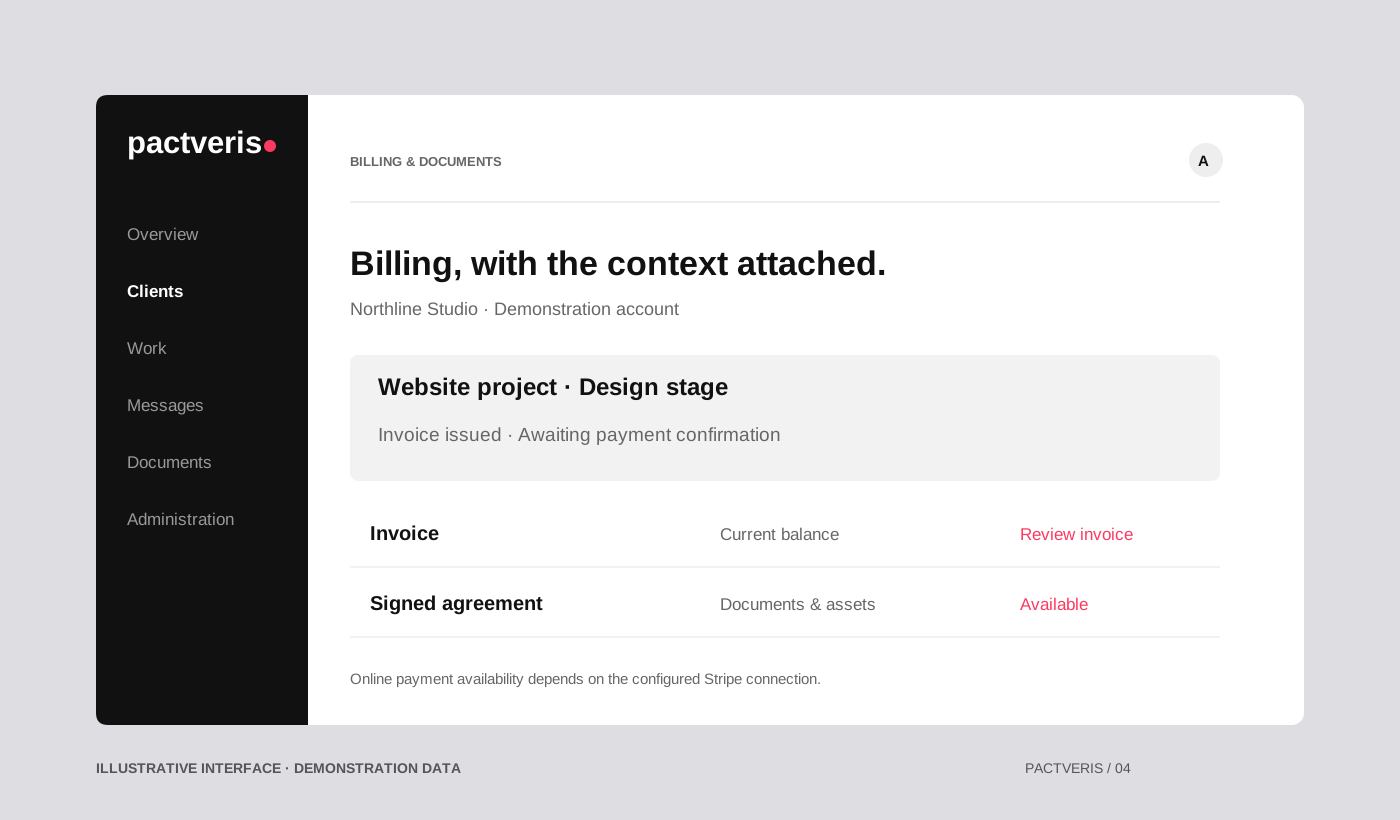
Keep invoices, billing terms, payment records, receipts and agreements with the relationship. Eligible invoices can be paid through a configured, verified Stripe connection. Confirmed payments update the relevant records; reconciliation remains a separate review against financial evidence. Clients cannot mark their own invoices paid.

Role-based access
Executive view
Administration

The wider view, with the detail close by.

Authorized team members work within their responsibilities. Executive views bring activity and decisions together, with client and team-member context. Administration connects company settings, access, services, supported connections and audit history.

Four service workflows. A connected way forward.

For digital agencies, web and marketing teams, and hosting and support providers. The platform organizes the work and its decisions; your team delivers the service.

Website Design & Development

Strategy & sitemap → Visual design → Development → Prelaunch review → Launch & ongoing care

Connect content responsibilities, design decisions, development work and release evidence. Review the actual version and obtain the required decisions before launch.

Digital Marketing

Discovery & goals → Strategy & plan → Campaign preparation → Review & release → Measure & optimize

Keep goals, deliverables, versions, measurement responsibilities and budget boundaries together. A completed milestone is not permission to spend. The workflow supports the team’s marketing work; it does not buy or optimize campaigns for them.

Managed Web Hosting

Requirements & ownership → Environment setup → Migration & testing → Approval & cutover → Monitoring & care

Record provider responsibilities, migration checks, recovery arrangements and the approved cutover. This is a workflow for managing hosting work—not a claim that the software includes domains or a managed hosting service.

Ongoing Support

Request & triage → Scope & approval → Resolution → Verification & acceptance → Follow-up & review

Capture the issue, urgency and responsible person. Check what is included, route extra scope through approval, then verify and document the resolution. Support tracking does not promise unlimited work or a round-the-clock service.

Clients who stay part of the process.

A place to know
what comes next.

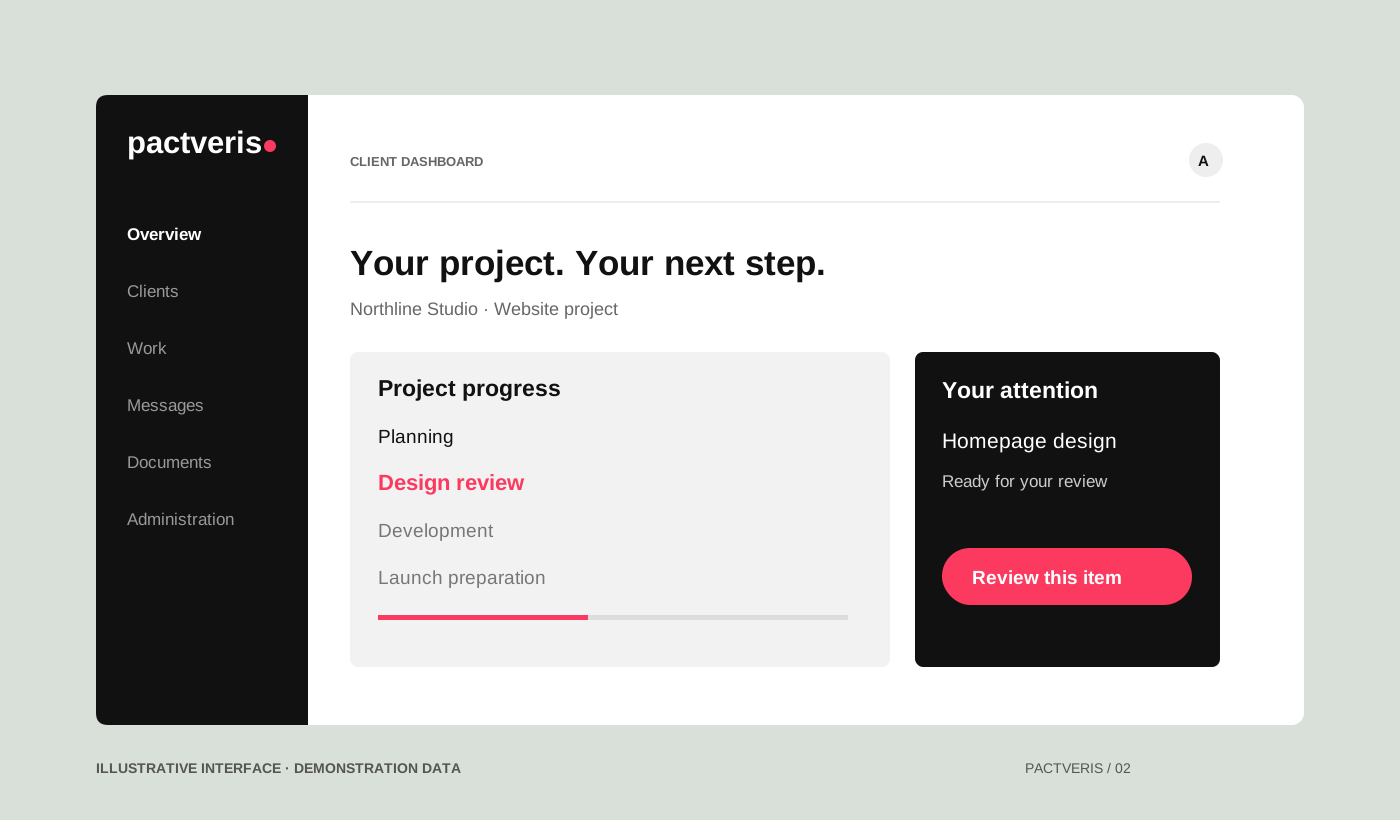
Progress is more useful when there is a way to respond. The branded Client Dashboard brings updates, requests, messages and shared documents into the relationship—so clients can participate, rather than simply receive another status email.

For issued agreements, clients verify the designated signing email, adopt a signature and initials, review and initial applicable pages, then sign inside their dashboard. The signed PDF and audit record remain with the account. Signing an agreement does not automatically purchase every service.

Follow one request
Conceptual Client Dashboard with project progress and an item ready for review. Demonstration data.
Illustrative interface · demonstration data

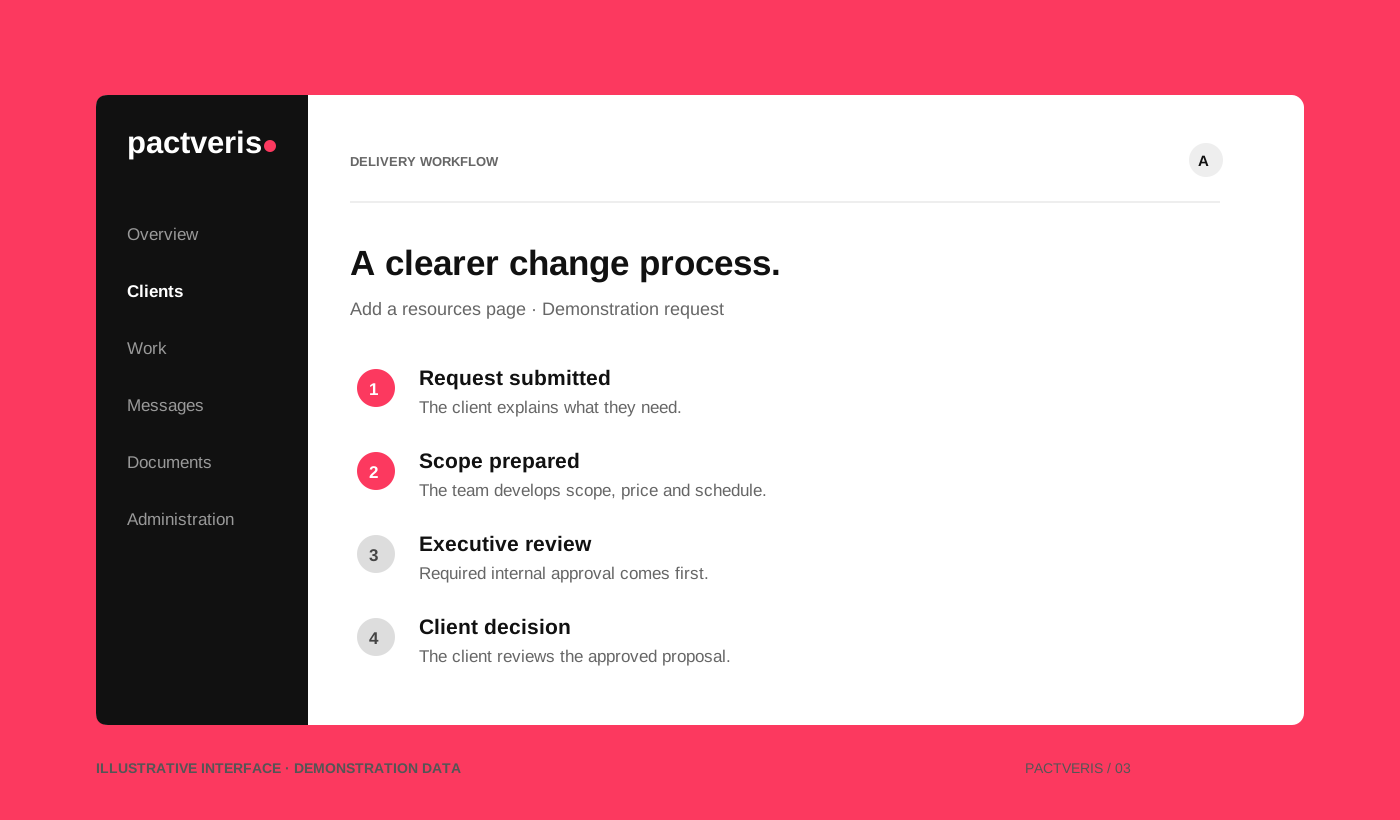
A change request, from ask to answer.

01

A client asks

The client submits a change request and can follow its status.

02

The team scopes

The team records the scope call and develops scope, price and schedule.

03

Required decisions

Executive review precedes the client’s review of that proposal revision.

04

The next step is clear

The approved request can move forward through the delivery workflow.

Submitting a request does not authorize a charge. Required approvals still apply.

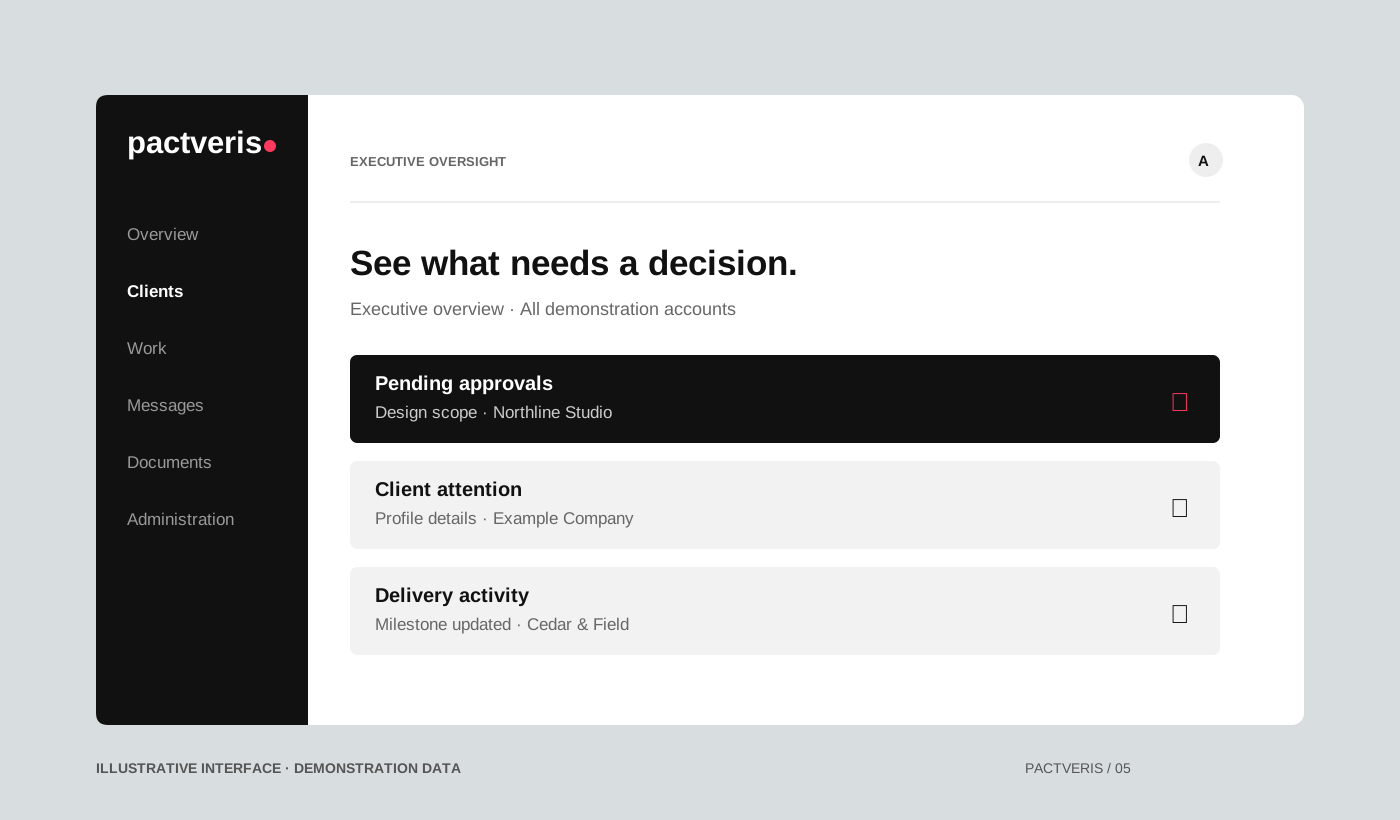
Oversight without losing the details.

Executive overview concept showing pending approvals, client attention and delivery activity. Demonstration data.
Illustrative interface · demonstration data

The right context.
The right responsibility.

Client and team views serve different responsibilities. Authorized controls sit with the work, while Executive oversight brings important activity and decisions together.

Front Office call logs, assigned follow-ups and partner contacts support the relationship behind the project. Workday attendance and client work timers stay distinct.

Follow an issue back to its record. Activity history, audit records and supported notifications help identify what needs attention and who owns the next action. Website health and Google reporting add context when their connections and permissions are configured.

A few useful questions.

What is Pactveris?

Pactveris connects the client relationship and the work behind it: consultations, onboarding, agreements, delivery, decisions, communications, documents and billing. A role-based Team Dashboard supports the work; a branded Client Dashboard keeps clients informed and involved.

What can clients do?

Clients can follow progress, respond to requests, exchange messages, review applicable work, access documents and invoices, submit change requests and complete issued agreements. Their dashboard is distinct from the team workspace.

How do payments work?

Clients can pay eligible invoices through Stripe when a supported merchant connection is configured, verified and enabled. The payment is checked against the expected account, amount, currency and invoice before the records are updated. Payment confirmation, reconciliation and bank settlement are distinct; clients cannot mark their own invoices paid.

What does Website Preview do?

The team can upload a supported built static website, review it and approve sharing before inviting recipients. Named downloads and optional announcements support the review. Existing clients can use their client login where supported. The workspace is reusable; package validation does not establish arbitrary source compilation or unlimited independent project hosting.

Which website reporting connections are supported?

Supported Google Analytics and Search Console reporting depends on configured connections, appropriate permissions and selected website properties. Website Health adds supported checks and incident context. Available data varies with those connections; monitoring does not guarantee uptime, rankings or automatic fixes.

Can I buy or deploy Pactveris today?

Licensing, deployment options, onboarding and commercial availability are still being defined. Public pricing, a trial and self-service signup have not been established. Demo contact details will be connected once confirmed.

Who is Pactveris designed for?

Client-service teams that need continuity between the first conversation and the work that follows: digital agencies, web and marketing teams, hosting and support providers, and similar service organizations. Roles can support owners, account managers, Front Office, delivery and billing teams, while clients have their own dashboard.

What does automation handle?

Supported automations can prepare certain drafts, route information, send eligible reminders and surface work needing attention. People still define scope, review evidence, approve commitments and authorize release or spending. Automation does not perform every client service or make every business decision.

Can every team member do everything?

No. Server-side role and workflow checks control actions. Team identity badges and partner ranks are presentation, not authority. Internal notes, partner associations and sensitive internal reports are distinct from client-published information.

Let’s look at the relationship.

A clearer view of the work.
A more connected client experience.

Demo scheduling is not connected yet.

Request a demo

Let’s connect.

The demo request connection is being prepared. Booking and contact details will appear here once confirmed.

No request has been sent.